Notice: Because of quota limits, downloads are forwarded to private server with limited bandwidth, though.
Please note also, distribution of the software is not authorized, regardless of being freeware or not. Distribution requires my explicit permission in any case.
News:
Once
more
German Telekom removed all links
to shared
files, so that download of CumulusX! and WinchX! was temporarily not
possible. Meanwhile, I recreated
the links and updated this document.
When clicking on download
links, a new browser
window
or tab is opened where you can start the download or view the
document. For downloading the documents, click “Download” in the
upper right corner of the viewing window.
If you still have
problems with downloading, please send me a note.
|
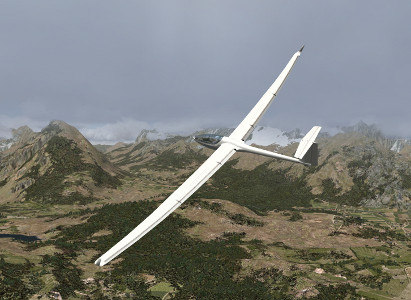
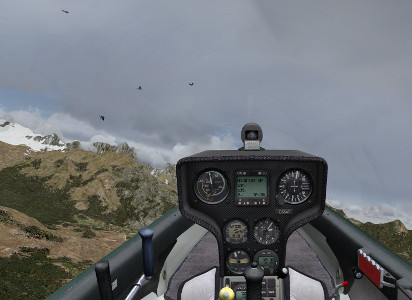
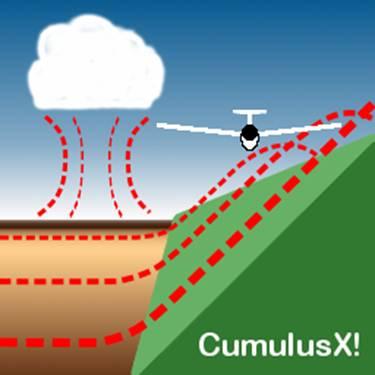
Note: Please install by right-clicking the “install.cmd”-command, and choose “Run as Administrator” (or equivalent). For W7-users this is mandatory, even when logged in as Administrator. CumulusX! is an add-on for Microsoft Flight Simulator X for the creation of a environment for virtual gliding experience. It was inspired by the famous Cross Country Soaring 2004 of Eric Carden. CumulusX! creates thermal lift with appropriate clouds either on the fly every time new in the environment of your glider with a wide variety of characteristics, or based on custom-tailored lists of thermals. Both allow joining in online sessions, with the guarantee of equal conditions for all participants. It adapts automatically and continuously to the FSX internal weather conditions even under real-weather-mode. In addition it scans the terrain of Flight Simulator X during flight in order to produce ridge lift and adjust the placement of thermals in mountain regions, according to sun irradiation and wind influence. Sunny slopes will also generate extra thermal lift, after being heated up by the sun over the day. Gliding in thermals and ridge lift is experienced with a completely new quality. The user can choose the difficulty level according to his/her personal skills from very easy to realistic and difficult. New in this version:
Version 1.9.1.2: Download (4.2 MB, 100 kB/s, includes German and English Manual)
|
 Acquiring
a personal license for CumulusX!
Acquiring
a personal license for CumulusX!Users can acquire a personal license for CumulusX!, which supports the further development of the software package. Some functions, e.g. response of the aircraft to transition into thermals, or wave lift in the future, are restricted to the licensed version. The freeware version will remain available, including minor improvements and bugfixes. Basic performance of licensed and unlicensed version will remain the same, so that participation in competitions will not depend on the license state. A personal license is granted after registration by paying the license fee.
Goto license conditions and purchase here.
It is strongly encouraged to try out the bonus features in demo-mode prior to purchasing of a personal license.
 Erwerb
einer persönlichen Lizenz für CumulusX!
Erwerb
einer persönlichen Lizenz für CumulusX!Benutzer von CumulusX! Können eine persönliche Lizenz erwerben und damit die weitere Entwicklung der Software unterstützen. Einige Funktionen, z.B. Lastwechsel-Reaktionen des Flugzeuges auf Übergänge in die Thermik oder in Zukunft Wellenaufwinde, sind den Inhabern einer persönlichen Lizenz vorbehalten. CumulusX! wird weiterhin kostenlos verfügbar bleiben, einschließlich geringfügiger Vebesserungen und Fehlerbehebungen. Die Grundfunktion der freien und der lizensierten Versionen werden sich nicht unterscheiden, so dass Teilnahme an Wettbewerben nicht vom Lizenzstatus abhängt. Eine persönliche Lizenz wird nach Zahlung einer Lizenzgebühr gewährt.
Lizenzbedingungen und Lizenzerwerb hier.
Es wird ausdrücklich empfohlen, vor einem Lizenzerwerb die Zusatzfunktionen zunächst im Demo-Modus zu testen.
|
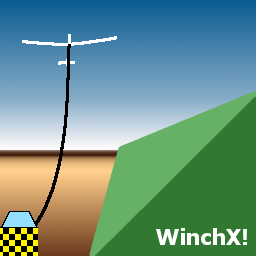
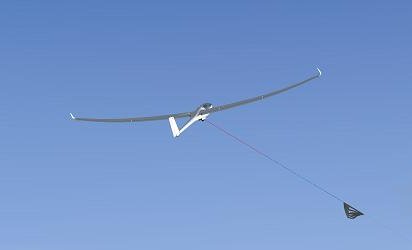
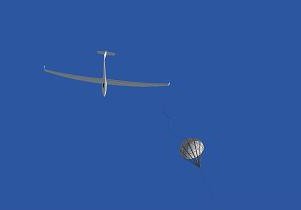
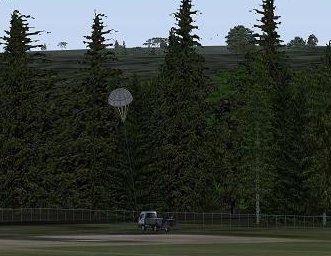
WinchX! is an add-on for Microsoft Flight Simulator X for the simulation of a winch launch of a glider aircraft. It allows to use winch launch anywhere on the world with very little prerequisites. Only the input from reality is needed as length of the launch cable, desired airspeed, and force limitation. WinchX! produces occasionally cable breaks as an additional element of realism and to prevent real glider pilots of becoming careless about launch interruptions.
Version 1.0 : Download (3.2 MB, including manuals)
|
|
|
|
|
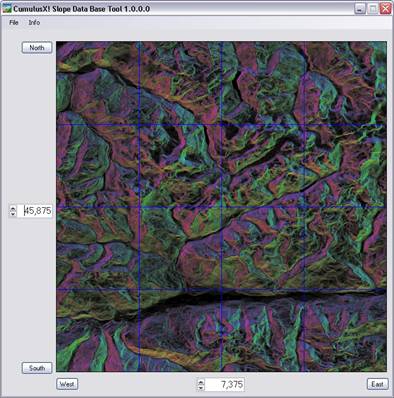
The Slope Data Base Tool is a viewer and import tool to create a slope data base from CCS2004-dat files and Digital-Elevation-Model-files (DEM). Slope data files can be found at AVSIM by searching for CCS2004, DEM-files at NASA and CIAT. The new release supports the import and conversion of digital elevation data in the ARCASCII format or the HGT format in 3" resolution. These files contain digital elevation data. The orientation and inclination of the terrain patches is calculated and the result is merged with the existing slope data base. The picture pane shows the slope situation around the given coordinates. The tint indicates the orientation of the slope. Red is north, yellow-green is east, blue-green is south and magenta is west. The more intense and brighter the colour, the steeper the slope is. Requirements: Microsoft .Net Framework 2.0, Windows XP SP2 Version 1.0a: Download New in 1.0a: Documentation for CCS2004 usage updated |
Peter Lürkens, 2008 This calculation document implements the calculation of the winch launch procedure of a glider plane. It accounts for the characteristics of the winch, the glider, cable properties, and other influence, such as wind and cable parachute. Read more here (in German).
|
Version 3.1.6
The automatic thermal scenery generator program is a software tool which allows to scatter large areas with thermal lift to enable thermal soaring within Microsoftâ Flight Simulator 2004. Using the program is as simple as pressing a button. It requires only very few input parameters to generate hundreds of thermal clouds, scattered over the landscape.
Unlike other tools it produces a scenery file, which, by itself has a highly dynamic behaviour, just like the thermal lift at real soaring.
05.03.2006: Full control of thermal timing, support of CCS2004.
26.08.2007: Note: Not compatible with FSX
This is intended to post-process slope-files from Eric Cardens Cross-Country-Soaring program CCS2004 in Version 4.0 and higher. CCS2004 scans by automation of the Microsoft Flight Simulator 2004 the orographic conditions of the landscape, saves it to a database and uses this information later on to produce realistic ridge lift conditions. Slope-files contain orientation and steepness of the mountain slopes and are the result of so-called topo-scans. They are found in the CCS2004-subfolders “Import” and “Archive”. The folder “Slope Data” contains a different format of slope-files, which is not yet supported.
JCSDAT initially was intended to concatenate the results of several smaller scans into a larger file. While this is no longer needed, as this functionality is meanwhile covered within CCS2004, it can be used to analyse the result of the scanning process by producing colourful maps of the slope-lift situation.
Another experimental function is, that from randomly distributed thermals in a CCS multiplayer script file, a new script file can be produced by a sort of filtering process, that removes “unrealistic” thermals in mountain regions (e.g. in lee-side locations, above valleys), and enforces those which are located at positions, that are likely triggers, considering wind direction, orographic conditions in the neighbourhood, and sun irradiation. The result can also be visualised by graphical maps that show the positions of the mountain triggers, or the locations of the resulting thermals.
Start a command prompt (or MSDOS-box) and type “jcsdat –h” for instructions.
Screenshots on this page were created partly using following add-ons:
Ground Textures: Ground Environment X Europe (Flight1)
Vector features and land class: Ultimate Terrain X Europe (Scenery Solutions)
Flight Simulator X standard cloud depiction: Active Sky 2012 (HiFi Simulations)
Sky depiction and light rendering: Shade for FSX (MogwaiSoft)
Der Betreiber dieser Homepage haftet nicht für den Inhalt externen Internetseiten, zu denen er Hyperlinks auf seiner Homepage eingebunden hat. Der Inhalt der externen Seiten entspricht nach Kenntnis des Betreibers dieser Homepage geltendem Recht. Diese Inhalte sind fremde Inhalte im Sinne des §5 II MDStv. bzw. keine eigenen Inhalte gem. §8I TDG. Von etwaigen Verstößen gegen Rechtsvorschriften durch die externen Seiten ist ihm nichts bekannt. Sollten ohne Wissen des Betreibers auf externen Seiten Rechtsverstöße stattfinden, so distanziert sich der Betreiber hiermit ausdrücklich von diesen Verstößen. Eine Distanzierung findet auch von den sonstigen rechtmäßigen und -widrigen Inhalten der externen Seiten statt, für die lediglich die Betreiber jener Seiten verantwortlich sind und auf die der Betreiber dieser Homepage keinen Einfluss nehmen kann (Nach: www.recht-der-homepage.de)
Datenschutzinformationen (DSVGO)/Data privacy information (GDPR)
Impressum: Peter Lürkens, Kirchfeldstr.64, 52080 Aachen, Germany, peter.luerkens@t-online.de,


All
rights reserved/Alle Rechte vorbehalten. ©
2023
Download links updated